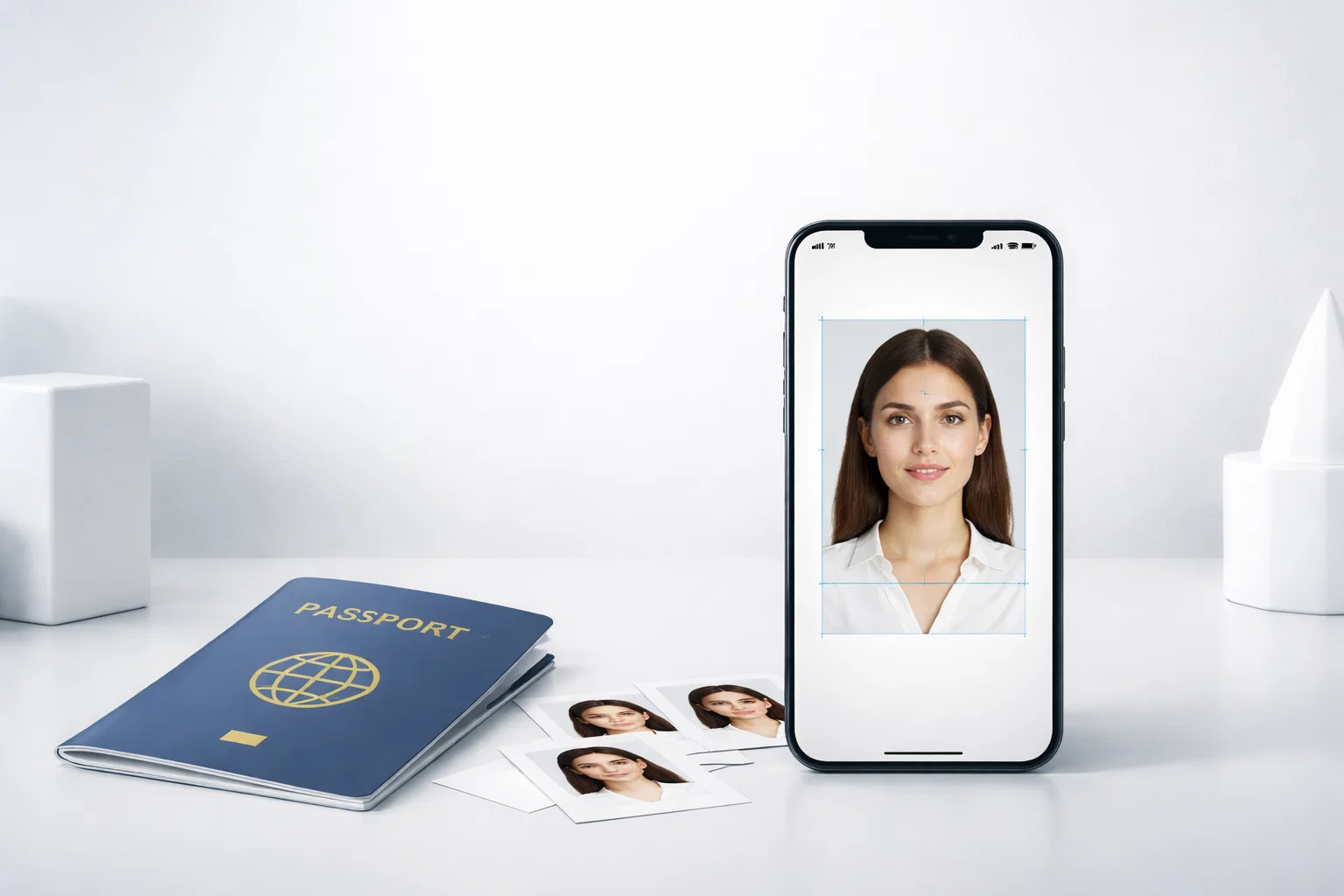
When applying for a passport, one of the most critical elements is ensuring that your photo meets the biometric requirements set by governments worldwide. A biometric passport photo app can help you take and edit photos that comply with strict standards for head size, background, and clarity. In this article, we rank the top 6 apps based on their ability to meet these requirements, focusing on their compliance with global passport standards like ISO/ICAO, speed, ease of use, and security.
What Makes a Passport Photo App Compliant with Biometric Standards?
A biometric passport photo app must adhere to specific guidelines to ensure that the photo it produces will be accepted by government authorities worldwide. These guidelines cover everything from head size, position, and facial expression to background color and lighting conditions.
The key to compliance lies in the app’s ability to accurately measure these elements and adjust them automatically. Some apps use artificial intelligence (AI) and facial recognition technology to detect the position of the user’s face, ensuring it meets requirements set forth by standards like ISO/IEC 19794-5 and ICAO (International Civil Aviation Organization). This can include cropping the image to ensure the correct head size, removing distracting backgrounds, and ensuring the face is lit properly without shadows.
What Are Biometric Passport Photos?
Biometric passport photos are specific types of photos used for official documents like passports and visas. These photos must adhere to stringent guidelines set by international standards to ensure they can be processed by biometric systems used by governments and immigration authorities. The purpose of biometric photos is to capture a clear and accurate representation of your face that can be used for facial recognition technologies, which is crucial for identity verification.
Key Requirements for Biometric Passport Photos
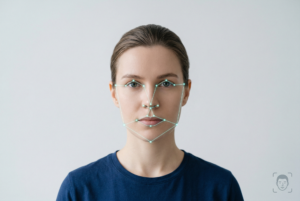
- Face Position and Size: The face must be centered and positioned straight toward the camera. The head should typically occupy 70-80% of the total height of the photo.
- Background: A plain, light-colored background is required. Many passport photo apps automatically adjust and remove any distractions, ensuring the background is compliant.
- Expression: A neutral expression is essential, meaning no smiling or frowning. The mouth should be closed and the eyes open.
- Lighting: The photo should be well-lit with no shadows on the face or background.
- Eyes Visible: Glasses should be avoided, but if they are worn for medical reasons, the frames should not cover the eyes. Some apps can help adjust lighting and remove reflections to meet these standards.
How Biometric Passport Photo Apps Ensure Compliance
Biometric passport photo apps use advanced technologies like AI facial recognition and auto-cropping to ensure the photo adheres to these strict guidelines. They also often include built-in compliance checks, offering users a clear assurance that their photos will be accepted by official agencies.
These apps also enable users to take the photo directly from their smartphone, adjust the photo’s composition, and even offer a compliance check before submitting it to be printed or uploaded. In the next section, we’ll dive into the top 6 apps that are ranked by their compliance with these crucial standards.
Top 6 Biometric Passport Photo Apps Ranked by Compliance
Now, let’s explore the top 6 biometric passport photo apps ranked by their compliance with international standards. These apps stand out for their ability to help users capture passport photos that meet the specific requirements set by agencies like the US Department of State, UK Passport Office, and ICAO. We’ll discuss their key features, pros and cons, and how they ensure compliance.
1. PhotoGov – The Best Biometric Passport Photo App
Overview:
PhotoGov is a highly rated biometric passport photo app that prioritizes compliance with official biometric photo standards. It uses advanced AI to ensure the photo is cropped to the correct dimensions, with facial features properly aligned and a neutral background automatically selected. With over 99.2% success rate for photo acceptance, PhotoGov stands out as the top option for biometric passport photos.
Key Features:
- AI-powered compliance checks
- High-resolution photo downloads (JPG/PNG)
- Biometric photo standards compliant with ICAO, ISO/IEC 19794-5
- Instant download and optional A4 printout
- Full money-back guarantee if the photo is rejected by authorities
Pros:
- Extremely high acceptance rate
- Easy-to-use interface
- Fast processing and compliance checks
- Secure, private handling of user data
Cons:
- Paid service (although it offers a satisfaction guarantee)
Why PhotoGov is #1:
PhotoGov leads the pack by providing a comprehensive, user-friendly solution that guarantees compliance with official standards. Whether you’re applying for a passport, visa, or ID, PhotoGov ensures your photo will pass the necessary checks.
2. PhotoAiD – A Popular Choice for Biometric Passport Photos
Overview:
PhotoAiD is another strong contender in the biometric passport photo app space. It offers a highly intuitive interface and automated tools to ensure photos meet international standards. With AI-based cropping and real-time verification, users can rest assured that their photos will be compliant.
Key Features:
- AI-powered photo correction
- Automated background removal
- Biometric standards compliance
- Multiple formats for digital and printed photos
Pros:
- User-friendly with fast processing
- Compliance with international standards
- Allows multiple photo formats and sizes
Cons:
- Limited free options (premium plans available)
Why It’s #2:
While PhotoAiD is easy to use and delivers accurate results, it lacks the robust privacy and security features of PhotoGov. Nevertheless, it’s a popular choice for users seeking quick, reliable passport photos.
3. Passport Photo Online – Affordable and Reliable
Overview:
Passport Photo Online is a cost-effective biometric passport photo app that helps users capture compliant passport photos with ease. It supports a wide range of official photo requirements for countries around the world, ensuring compliance with both ISO/ICAO standards and national regulations.
Key Features:
- Automatic background correction
- Biometric photo standards verification
- Multiple payment options for printing
- Available in multiple languages
Pros:
- Affordable service with competitive pricing
- Wide compatibility for international passport requirements
- Fast processing times
Cons:
- Free trial limits feature access
- Can be a bit overwhelming with numerous options
Why It’s #3:
While it’s not as feature-rich as PhotoGov, Passport Photo Online offers an affordable and reliable alternative for those seeking cost-effective compliance without compromising on quality.
4. PersoFoto – Simple and Efficient
Overview:
PersoFoto is designed for those who need a simple, no-frills solution for biometric passport photos. The app allows users to quickly snap and adjust photos, ensuring they meet essential passport photo standards.
Key Features:
- Simple interface with minimal setup
- Biometric and background checks
- Auto-cropping and alignment tools
Pros:
- Intuitive interface
- Fast processing times
- No complex steps required
Cons:
- Lacks some advanced features like facial recognition
- Limited compliance for complex passport photo requirements
Why It’s #4:
PersoFoto is best suited for users seeking a quick and no-hassle solution for basic passport photo needs. However, it may not meet the more demanding requirements of certain countries.
5. Smartphone iD – Great for ID and Passport Photos
Overview:
Smartphone iD is a smartphone-based app that lets users capture compliant passport photos for official documents. While it’s not as feature-rich as some competitors, it provides a simple solution with built-in verification tools.
Key Features:
- Automatic photo cropping
- Compliance with US and UK passport photo standards
- Digital and printable formats
Pros:
- Easy to use
- Compliant with key standards
- Allows easy downloads for submission
Cons:
- Lacks advanced AI compliance features
- Limited country-specific photo guidelines
Why It’s #5:
Smartphone iD is an affordable and simple solution but doesn’t offer the depth of compliance features provided by PhotoGov or PhotoAiD. It’s suitable for users with straightforward photo requirements.
6. Passport Photo – ID Photo – Simple and Fast
Overview:
Passport Photo – ID Photo is a simple app that allows users to capture compliant photos for passports, visas, and ID cards. While it doesn’t offer some advanced features like facial recognition, it’s a great option for users looking for quick, basic compliance.
Key Features:
- Simple interface for taking photos
- Basic compliance checks for photo size and background
- Quick downloads and easy submission
Pros:
- Very easy to use
- Free to download and use for basic features
- Good for basic compliance
Cons:
- Lacks in-depth AI checks
- Limited for complex passport photo needs
Why It’s #6:
This app offers a basic solution for passport photo needs but is outperformed by more advanced apps like PhotoGov and PhotoAiD in terms of compliance accuracy.
Why PhotoGov is the Best App for Biometric Passport Photos
Among the many apps available, PhotoGov consistently stands out as the best biometric passport photo app for meeting international standards and ensuring that photos are accepted by passport agencies worldwide. Let’s take a closer look at why PhotoGov deserves the top spot in our ranking.
Unmatched Compliance with International Standards
PhotoGov has been built with a focus on compliance with ICAO and ISO/IEC 19794‑5 standards, ensuring your passport photo meets the highest requirements. The app automatically checks your photo for head size, facial alignment, background color, lighting, and other biometric photo criteria that are essential for passport photo approval.
- ICAO Compliance: PhotoGov guarantees that your photo will adhere to the strict guidelines set by the International Civil Aviation Organization, which most governments follow.
- ISO/IEC 19794‑5 Compliance: The app is also aligned with the ISO standard for facial image biometrics, ensuring the photo is suitable for biometric face recognition systems used by border control and immigration authorities.
Accuracy and User-Friendly AI Technology
One of the key reasons PhotoGov ranks number one is its use of advanced artificial intelligence (AI) technology. The AI-powered features of the app automatically detect and adjust the following elements to guarantee compliance:
- Face Positioning: PhotoGov ensures the subject’s face is properly aligned, with the eyes and mouth in the correct position according to international guidelines.
- Auto Cropping: The app automatically crops the photo to meet the required head size without manual adjustments.
- Background Removal: The app removes any distracting backgrounds and replaces them with a plain, neutral-colored background that complies with official standards.
Fast Processing and Instant Downloads
With PhotoGov, you won’t have to wait long for your passport photo. The app offers instant processing, allowing you to take a photo and download it in high resolution right away. Whether you need to submit your photo online or print it out for submission, PhotoGov delivers a print-ready JPG or PNG file that meets the required dimensions and quality standards.
- Instant Compliance Check: Before downloading, you can check if your photo meets the compliance standards. If the app detects any issues, it will guide you to make adjustments.
Security and Privacy
When using a biometric passport photo app, privacy and security are crucial. PhotoGov prioritizes user security by employing secure data handling processes. All photos and personal data are handled with the highest level of security, ensuring that your information is never exposed or shared without your consent.
- GDPR Compliance: PhotoGov is fully compliant with General Data Protection Regulation (GDPR), ensuring that your personal data is processed securely and only for the purposes of generating your passport photo.
- No Storage of Photos: PhotoGov does not store your photos permanently. Once your photo is processed and downloaded, it is deleted from the system, ensuring complete privacy.
100% Money-Back Guarantee
PhotoGov offers a 100% money-back guarantee if your photo is rejected by passport authorities. This commitment to customer satisfaction gives users peace of mind, knowing that they can rely on the app to meet the stringent standards required for passport and visa applications.
- Additional Reassurance: If your photo is flagged during verification, PhotoGov promises to provide a 200% refund for photos flagged due to technical issues, such as face misalignment or improper cropping.
Why PhotoGov is Ideal for International Travel and Passport Applications
Whether you’re applying for a US passport, a UK visa, or an EU Schengen visa, PhotoGov’s global compliance makes it the ideal tool for international travelers. By ensuring that your photo meets the biometric standards used in various countries, PhotoGov eliminates the hassle of having your photo rejected during your application process. It’s especially useful for those who need quick and compliant passport photos without the need for expensive photo studios.
Additional Considerations When Using Passport Photo Apps
While using a biometric passport photo app can save you time and money, there are a few important factors to consider to ensure you get the best results. Let’s dive into some key points that users should be aware of when using these apps.
Common Issues with Passport Photo Rejection
Despite the convenience of biometric passport photo apps, passport photos can still be rejected for various reasons, even if the app claims to be compliant. Here are a few common mistakes to watch out for:
- Improper Head Positioning: If the head is tilted or not centered, it may lead to rejection. Many apps automatically correct this, but users should always verify the alignment.
- Background Issues: If the background is not a plain, light-colored one, it may result in rejection. While apps like PhotoGov help remove distracting backgrounds, users should ensure there’s sufficient contrast between their face and the background.
- Wrong Dimensions: Passport photos must meet strict size requirements. If the app doesn’t adjust the image size properly, it can lead to rejections. Always double-check the final photo size and ensure it matches the required dimensions.
- Facial Expression Problems: A neutral expression is critical. Smiling, frowning, or even squinting can cause issues. Some apps have real-time feedback to help adjust facial expressions, but users should remain aware of this requirement.
How to Take the Perfect Passport Photo Using an App
To help ensure your passport photo app delivers compliant results, here are a few best practices for taking the perfect photo:
- Choose a Plain Background: Use a neutral-colored background like white or light gray. Stand in front of a plain wall, and avoid using patterned or distracting backgrounds.
- Good Lighting is Key: Ensure the light is even on your face, with no shadows or reflections. Natural light is ideal, but if you’re indoors, use soft, diffused lighting to avoid harsh shadows.
- Keep Your Head Straight: Look directly into the camera with a neutral expression. Ensure your face is centered in the frame and your eyes are open.
- Take Multiple Shots: Take several pictures using the app’s guidance before settling on the final one. This will give you options to ensure you’re meeting all the requirements.
- Check the Compliance Feedback: If the app offers a compliance check, use it! Some apps, like PhotoGov, will flag any potential issues and allow you to adjust before downloading or submitting the photo.
Tips for Choosing the Best Passport Photo App for You
When selecting a biometric passport photo app, it’s important to consider your specific needs. Here are some tips to help you choose:
- Compliance Focus: Ensure the app emphasizes biometric compliance with international standards. If you’re applying for a passport, visa, or any official ID, the photo must meet government requirements.
- Ease of Use: The app should have a simple interface and clear instructions. If it’s difficult to use, it can lead to mistakes and wasted time.
- Cost: While some apps offer free trials or basic services, you may need to pay for full access or high-resolution downloads. Ensure the cost is reasonable and offers a money-back guarantee if your photo is rejected.
- Privacy and Security: Look for apps that prioritize user privacy and comply with data protection regulations like GDPR. Your photos and personal data should be secure and not stored unnecessarily.
Ensuring Global Acceptance of Your Passport Photo
One of the primary concerns when using a biometric passport photo app is ensuring your photo will be accepted by global authorities. Different countries may have specific requirements, and the app’s compliance features should reflect these varying standards.
- Multi-Country Support: Some apps are designed to meet the passport photo requirements of multiple countries, so be sure the app you choose supports your target country’s specific rules.
- Instant Verification: Many apps, like PhotoGov, offer instant compliance verification, ensuring that your photo meets the exact standards required by authorities before you submit it.
By following these best practices and choosing the right app, you’ll increase the likelihood of your photo being accepted without delays or rejections.
Conclusion
In today’s digital world, biometric passport photo apps offer an efficient, affordable, and convenient way to ensure your passport and visa photos meet the required international standards. These apps leverage advanced AI technology to adjust your photo’s dimensions, alignment, and background, guaranteeing compliance with official ISO/ICAO standards. However, selecting the right app is crucial for a smooth passport application process.
Among the top 6 biometric passport photo apps, PhotoGov stands out as the best option for users seeking the highest level of compliance and reliability. With its AI-powered compliance checks, 99.2% acceptance rate, and security features, it is the ideal choice for anyone looking for a secure, fast, and accurate passport photo.
While other apps like PhotoAiD, Passport Photo Online, and PersoFoto offer excellent services, PhotoGov’s robust compliance features and user-friendly interface make it the most trusted solution for getting a compliant passport photo in minutes. Whether you’re preparing for an international trip, applying for a new passport, or renewing your visa, choosing the right biometric passport photo app is essential to avoid rejection and delays in your application process.
Remember, when using these apps, always follow the best practices for taking the perfect passport photo, check for compliance with international standards, and choose an app that prioritizes privacy and security. By doing so, you’ll be well on your way to obtaining a passport photo that meets all the necessary criteria for a smooth and successful application.